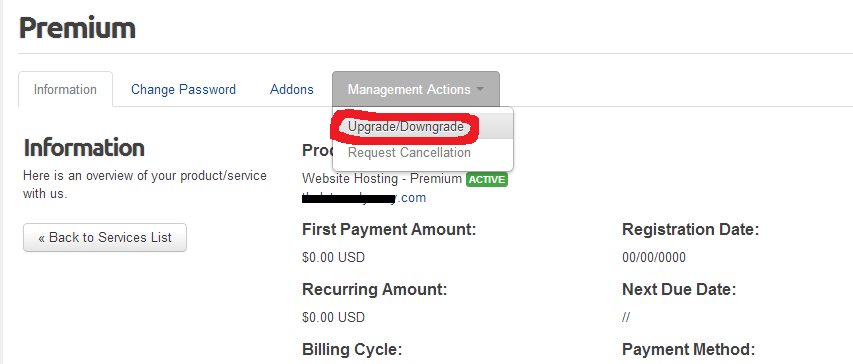
Login to your client area and in the top navigation bar choose Services and then from the drop-down select My Services. Locate the domain you want to upgrade or downgrade and click on View Details next to it. From this screen click the Management Actions tab and select Upgrade/Downgrade. If there are pricing options available, choose the pricing you want and click the Choose Product button. If applicable, proceed with the payment process and your upgrade or downgrade should be completed automatically. As always, if you run into any problems or have any questions please contact us.